

.png)



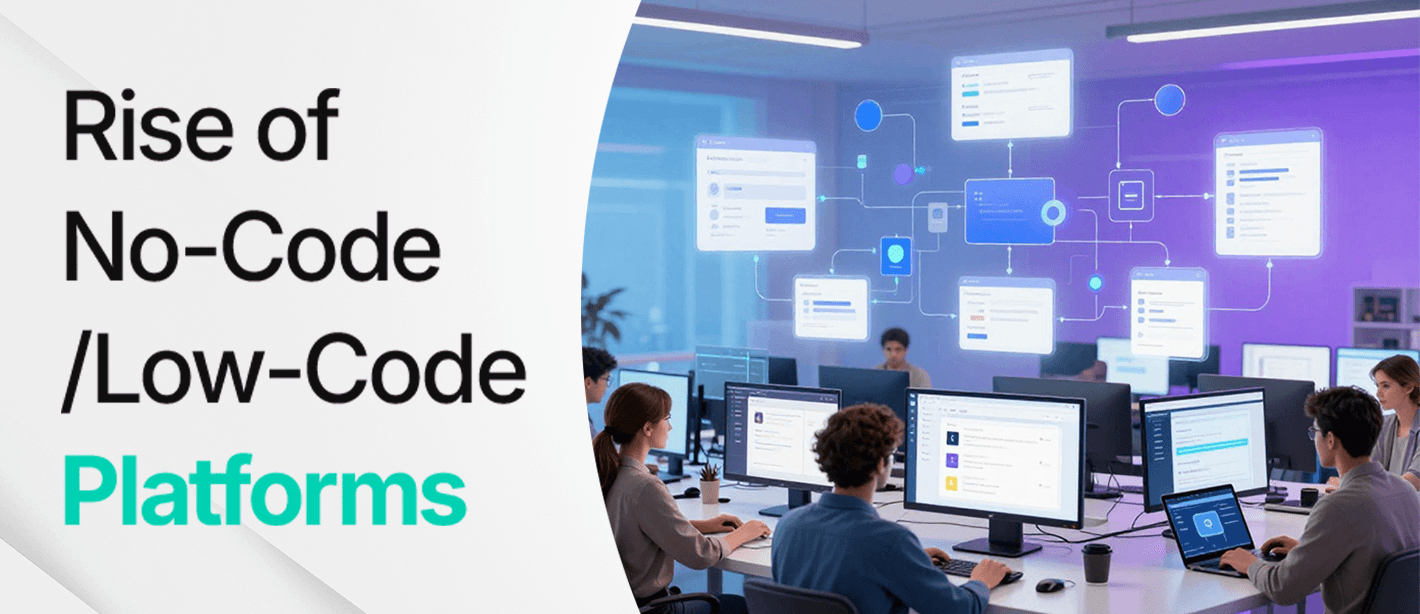
Software building is more likely to feel like a gated community: you can either write clean code for building an application, or you wait for some other developer to do it. In 2026, that line is shrinking fast. Visual builders, workflow automations, and app studios are letting more teams ship tools without turning every request into a months-long engineering project.
That’s why low code no code platforms in USA are becoming popular topic across the IT industry. These tools are changing who gets to build, how fast ideas become usable software, and how companies keep up when the market moves weekly, not yearly.
Let’s talk about what’s actually happening and what to do next.
What Are Low-Code and No-Code Platforms?
Low-code and no-code platforms ease the process of software development by utilizing visual builders, and many teams pair this approach with custom web development when they need more control.
- Low-code: These platforms are designed for developers who have some technical and programming knowledge. It drastically reduces the amount of code that is needed and makes it an ideal option for the software developers who want to build scalable applications.
- No-code: Built for those who won’t have any technical background. You build apps using prebuilt blocks and simple rule settings instead of coding. This works best for straightforward tools like internal trackers, simple portals, landing pages, and automation flows.
Both methods help teams build faster, reduce costs, and involve more people in the creation of solutions. The main difference is flexibility: low-code usually offers more customization, while no-code prioritizes simplicity and ease of use.
Why Low Code No Code Platforms in USA Matter
The story in 2026 isn’t that “everyone is building apps now.” The real shift is who gets to build what, and under what rules.
Three forces are pushing adoption:
- Backlog pressure is still brutal. Internal tools, dashboards, customer portals, and workflow tweaks keep piling up. Many don’t justify a full custom build, but they still matter.
- AI is reducing the friction, and it’s also changing how teams plan and build, see how developers use AI in software development.
- Business teams want autonomy. Ops, finance, HR, and sales teams don’t want to wait for every small change, especially when the change is “move these fields, add an approval step, connect this data source.”
At the same time, the market is splitting into clearer lanes: platforms built for enterprise-grade applications usually depend on scalable infrastructure, which is why cloud services matter. Choosing the right lane is half the battle.
What’s Actually Different In 2026
“No-code and low-code” isn’t new. What’s new in 2026 is the combination of three forces landing at the same time:
1) AI-Assisted Building Is Now Normal
Advanced platforms include AI features that assist companies in generating forms, queries, and workflows this is where custom AI solutions can help teams move faster. The practical result isn’t magic it’s momentum. Teams get from “idea” to “first working draft” faster, which means:
- Stakeholders can react to something concrete earlier
- Requirements become clearer sooner
- Less time is wasted building the wrong version
AI doesn’t remove the need for good judgment. It just reduces the cost of iteration.
2) Integration Expectations Have Matured
In 2026, a “simple app” rarely stands alone. Even a basic onboarding flow might touch:
- Identity and access (SSO, MFA)
- CRM records
- Messaging (Slack/Teams)
- Ticketing systems
- Billing or procurement
- Data warehouses
Platforms are evaluated on the basis of their UI/UX and how smoothly they can connect with the other stack. Because most apps touch multiple systems, teams often plan CRM integration early to avoid messy data and broken handoffs.
3) Data Access Is Becoming a Product Feature
A major reason this category keeps growing is low-code no-code platforms data democratization giving more people access to usable data without giving them the keys to your production database. When done well, teams stop waiting on “the dashboard person” and start answering questions themselves.
The catch: democratizing access is not the same as democratizing control. The smartest companies separate:
- Viewing and exploring data (widely enabled)
- Writing or changing operational data (tightly governed)
Where These Platforms Deliver Fast Wins
This is where the hype becomes useful. If you want practical ROI in 2026, start with use cases that are painful, repetitive, and currently held together with spreadsheets.
High-Impact Use Cases You Can Ship Quickly
- Internal request systems (IT access, equipment, finance approvals)
- Sales ops tools (lead routing, deal desk intake, quote approvals)
- Customer onboarding workflows (checklists, document collection, status views)
- Compliance tracking (evidence collection, review cycles, audit trails)
- Field operations apps (mobile-friendly forms, incident capture, photo uploads)
- Reporting layers over existing data sources for non-technical teams
The reason this work so well is that they’re usually constrained by coordination, not by raw engineering difficulty.
Comparing Popular Low-Code And No-Code Platforms
The tricky part about choosing a platform isn’t finding options, it's finding the right kind of option. Some tools are basically “website builders on steroids.” Others are closer to full application studios, built for workflows, databases, and real business logic.
Below is a practical comparison of four popular picks.
Framer
Type: No-code with low-code options
Best for: Designers, startups, and marketing teams building high-converting landing pages and websites.
Pros
- Design-first workflow: It feels closer to a design tool than a traditional builder, so you can move quickly without fighting the UI.
- Fast from concept to live page: Great for campaigns, product pages, and launch sites where speed matters.
- Built-in basics: Hosting and CMS options help you avoid stitching together too many tools.
- Room for customization: If you do have technical help, custom code can take you further.
Cons
- Not meant for complex apps: Once you need heavy logic, user roles, or complicated backend workflows, it starts feeling cramped.
- Backend depth is limited: It’s primarily about front-end experiences, not building full systems.
Webflow
Type: No-code
Best for: Agencies and teams that want serious control over responsive websites without coding everything by hand.
Pros
- Professional-level site building: You can get very precise with layouts, animations, and responsive behavior.
- Strong CMS: If your site is content-heavy (blogs, case studies, landing page libraries), Webflow is a workhorse.
- Huge community and ecosystem: Templates, tutorials, and freelancers are easy to find—useful when you’re stuck or scaling.
Cons
- Learning curve is real: It’s no-code, but not “zero thinking.” People often need time to become confident.
- Can be slower for non-technical teams: If someone isn’t comfortable with web concepts (sections, breakpoints, structure), edits can take longer than expected.
OutSystems
Type: Low-code
Best for: Enterprises building complex, scalable applications especially when security, integrations, and governance aren’t optional.
Pros
- Built for serious applications: Good fit for internal systems, customer-facing portals, and multi-step workflows that need structure.
- Integration-friendly: Plays well with existing enterprise systems and data sources.
- Security and compliance focus: Stronger guardrails than many lighter no-code tools, which matters in regulated industries.
Cons
- You still need technical skill: Low-code doesn’t mean “no developers.” The best results usually come with experienced teams.
- Cost can be a barrier: It’s often overkill for small businesses or simple projects.
Bubble
Type: No-code
Best for: Entrepreneurs and small teams building functional web apps with databases, user accounts, and workflows without a full engineering team.
Pros
- Real app-building power: You can create marketplace-style apps, portals, and workflow tools not just websites.
- Visual logic + database: Useful when you need dynamic behavior (user profiles, submissions, dashboards, permissions).
- Accessible for startups: Often cheaper and faster than hiring a full dev team early on.
Cons
- Scaling can get tricky: If your app becomes high-traffic or very complex, performance tuning becomes more important (and sometimes painful).
- Complex workflows can turn into spaghetti: Without good structure, projects can get messy fast—especially when multiple people build in the same app.
The Benefits of Low-Code And No-Code
Low-code and no-code tools aren’t popular because they’re trendy. They’re popular because they solve a problem almost every team has: too many ideas, too many requests, not enough developer time.
When used for the right projects, these platforms can shorten timelines, reduce waste, and help developers ship useful tools without turning every request into a full engineering sprint. Below are the benefits of low code no code platforms.
Faster Development Cycles
Traditional builds take time planning, design, dev, testing, deployment, revisions. Low-code and no-code shorten that loop dramatically because a lot of the “setup work” is already handled for you:
- UI components are prebuilt
- workflows can be mapped visually
- databases and integrations often connect in minutes, not days
Instead of waiting weeks for a custom internal request form, an ops team can build a working version in a day, test it with real users, and improve it in small iterations.
Better Cost Control
Hiring a full team for every small tool doesn’t make sense especially when the tool is internal, temporary, or likely to change soon.
Low-code and no-code help you spend smarter:
- No-code handles smaller, straightforward needs without pulling engineering away from core product work.
- Low-code helps technical teams deliver faster by cutting down repetitive boilerplate work.
This isn’t about “replacing developers.” It’s about using expensive engineering hours where they matter most.
Inclusivity And Team Empowerment
One of the most underrated wins is what happens culturally. When non-technical teams can build their own solutions, you get:
- fewer bottlenecks
- faster experimentation
- better alignment between “what we need” and “what we build”
Instead of translating a business problem through three layers of tickets, the people closest to the work can shape the tool directly then bring in developers when it needs stronger architecture, security, or integration depth.
Flexibility And Scalability
No-code is great for speed, but low-code is where organizations find long-term leverage. Low-code platforms usually:
- integrate more cleanly with existing systems
- allow custom logic when visual tools hit limits
- support more complex user roles and permissions
- scale better for larger teams and more data
That’s why many companies treat low-code as the “bridge” between fast business builds and serious production-grade systems.
Potential Risks & Limitations
Low-code and no-code platforms open the door to faster development and broader participation but they also introduce risks that organizations can’t afford to ignore. Speed without structure often leads to problems later.
Here are the most common limitations businesses run into.
1. Security and Compliance Are Not Optional
Citizen builders can accidentally expose data or misconfigure permissions. In 2026, that risk is bigger because platforms connect to more systems by default.
Minimum controls that help:
- SSO + MFA enforced
- least-privilege access
- audit logs enabled
- data classification rules (what can/can’t be used in citizen-built apps)
- periodic access reviews
2. Vendor Lock-In
Most no-code and low-code platforms operate within proprietary ecosystems. That means your workflows, logic, and data structures are built around their infrastructure. Migrating away later can be time-consuming and technically challenging.
Vendor lock-in typically shows up in three ways:
- Data stored in platform-specific formats
- Workflows that cannot be exported cleanly
- Pricing models that change as usage increases
This doesn’t mean you should avoid these platforms. It means you should plan ahead. Keeping core business data portable and documenting critical processes can reduce future migration pain.
3. The Rise of Shadow IT
When developers can build their own tools without going through IT, innovation accelerates, but oversight can disappear. Shadow IT refers to systems created outside official governance channels.
Risks include:
- Duplicate applications solving the same problem
- Conflicting data definitions
- Security gaps from unreviewed integrations
- Unclear ownership and maintenance responsibilities
Over time, this fragmentation creates confusion and technical debt. The solution isn’t restricting access it’s creating structured guidelines. Clear permissions, review processes for higher-risk apps, and shared standards help balance speed with accountability.
Future Trends In Low-Code And No-Code
2026 is pushing these platforms from “builders” into full ecosystems. Here’s where things are heading.
AI Integrations
AI isn’t just a chatbot bolted onto the UI anymore. Platforms are using AI to:
- suggest workflows based on your goal
- generate app layouts from prompts
- auto-create database tables and relationships
- flag broken logic or missing validations
The best tools feel like having a smart assistant sitting next to you, speeding up the first draft while humans still make the final calls.
Greater Enterprise Adoption
More large organizations are adopting these platforms for serious systems: internal portals, onboarding flows, CRMs, procurement workflows, and field operations tools.
Because of that, platforms are investing heavily in:
- compliance features
- stronger governance controls
- better scalability and performance
- integration depth with enterprise stacks
Hybrid Development Models
The future isn’t “no-code vs code.” It’s no-code + low-code + traditional code working together.
A typical setup looks like this:
- business teams build front-end workflows and dashboards
- developers build shared APIs, custom components, and security foundations
- IT sets governance so apps don’t become unmanageable
Hybrid isn’t a compromise it’s the most realistic way to move fast without losing control.
The Impact on Developers
The fear that “developers will become obsolete” keeps showing up, but it misses what’s actually happening. As building gets easier, the value shifts upward.
Developers increasingly spend time on:
- Architecture and strategy: designing systems that hold up long-term
- Integration work: connecting tools, APIs, data sources, and identity systems
- Governance and quality: making sure the fast builds are secure and maintainable
- Faster iterations: shipping MVPs faster, then hardening what works
In other words: developers don’t disappear. Their work becomes more high-leverage and more connected to business outcomes.
The Wrap-Up
The rise of no-code/low-code in 2026 isn’t about skipping engineering. It’s about shipping practical software sooner, so teams can spend more time improving outcomes and less time waiting in line. Start small, choose the right use cases, and set simple rules that keep your data and systems safe. Done right, you get quicker iteration, better visibility, and fewer manual handoffs without turning your environment into the wild west.
If you want help turning this into a clear rollout plan for your team, reach out to Amrood Labs, and let’s map your fastest win.
.png)
.png)
Learn why parallel Git branches create duplicate migration numbers and how to fix migration conflicts using GitHub Actions. Includes workflow code, testing strategies, and database migration tools.
